Every repo gets its own color.
Color-code your VS Code windows. Toucan tints the Command Center, marks the status bar with a glyph and can fill the sidebar, so you always know which window you're typing in.
Free and open source · MIT licensed
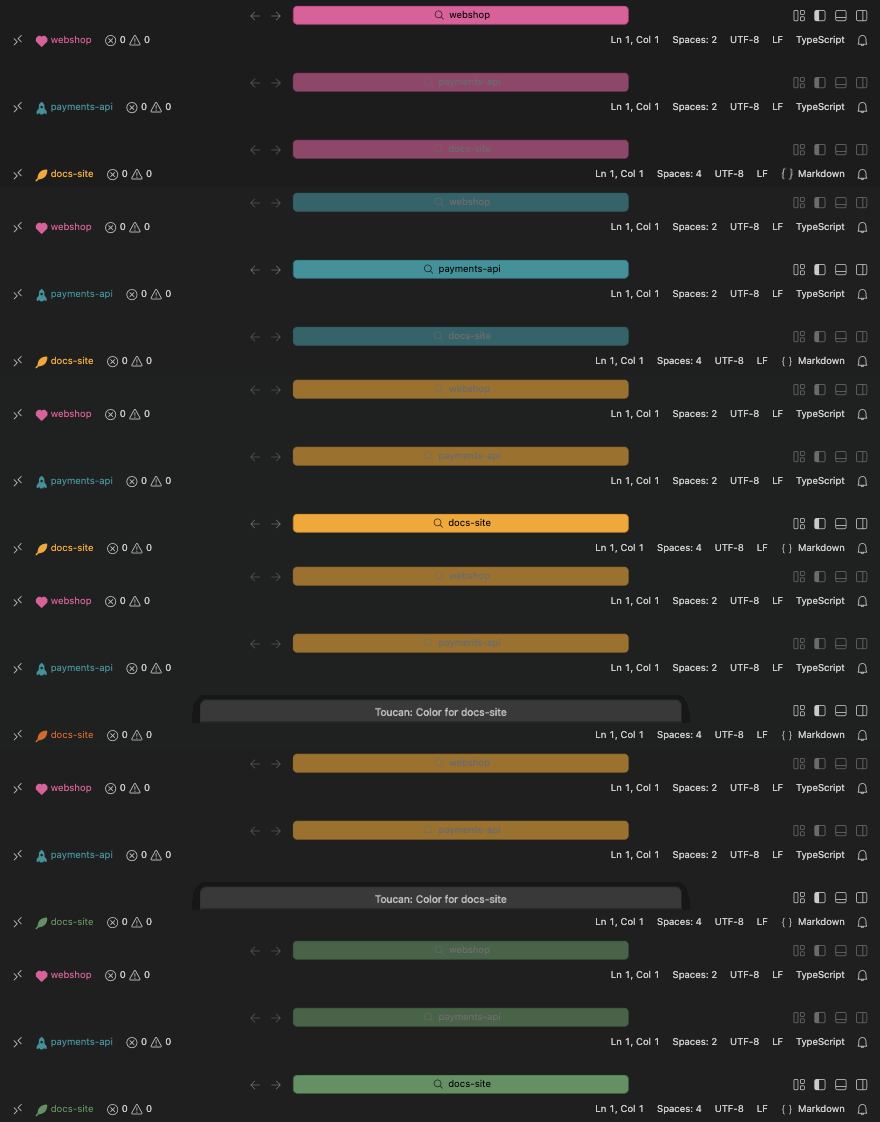
Three windows, three colors.
Open your repos side by side and tell them apart at a glance. The Command Center follows the focused window; the status bar always shows each window's own color.
What Toucan colors
Pick a color once per repo. Toucan stores it in your settings and repaints every window that opens it.

Command Center
The search bar at the top takes the repo's color, with a readable text color worked out for you.

Status bar glyph
A small glyph in the repo's color, from 17 hand-drawn shapes, sits next to the repo name.
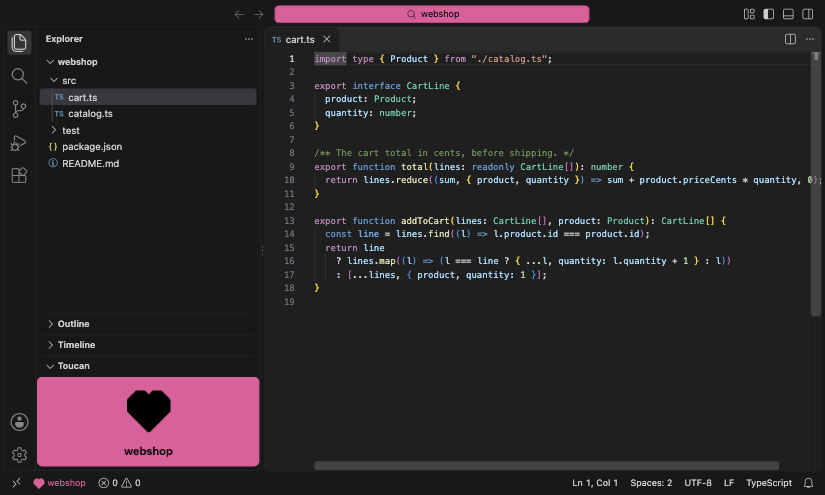
Sidebar block
Optionally add a block in the Explorer with the color, full or muted. Hide it and it stays hidden.
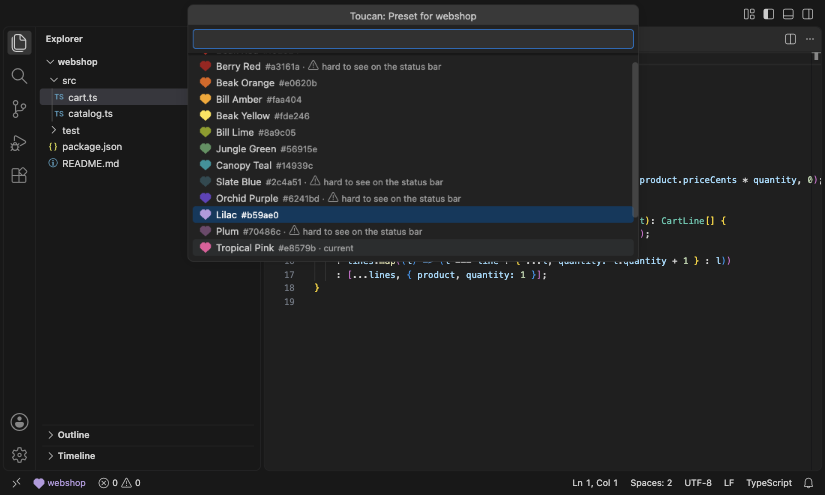
16 presets
A toucan-themed palette with a live preview, and a warning when a color is hard to see on the status bar.
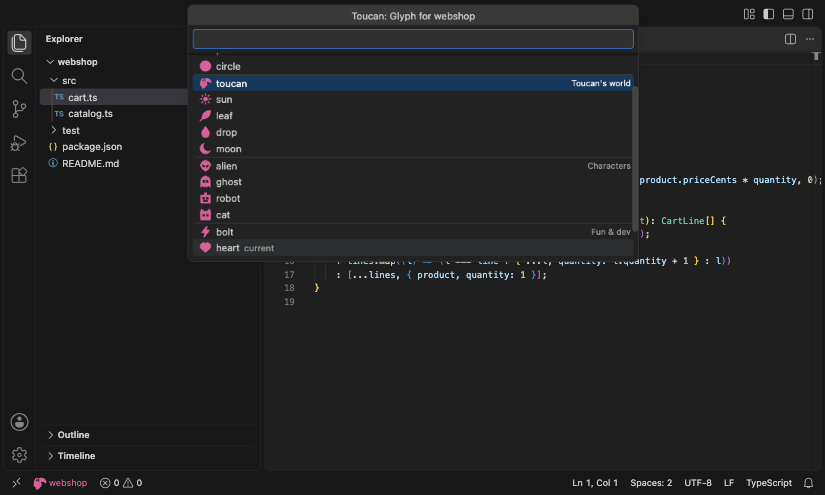
Glyph picker
Shapes, Toucan's world, characters and fun & dev glyphs, previewed as you move through them.

Search emoji
Experimental: an emoji in the window title, so the repo shows in the Command Center even when it's not focused.
17 glyphs, drawn for 16 pixels.
Every glyph is drawn in Toucan's own font, sized for the status bar and readable on dark and light themes.
Shapes
- square
- bar
- pill
- circle
Toucan's world
- toucan
- sun
- leaf
- drop
- moon
Characters
- alien
- ghost
- robot
- cat
Fun & dev
- bolt
- heart
- star
- rocket
A palette from the toucan.
16 presets taken from the bird's beak, plumage and jungle. Or type any CSS color.
- Beak Red
#f92824 - Berry Red
#a3161a - Beak Orange
#e0620b - Bill Amber
#faa404 - Beak Yellow
#fde246 - Bill Lime
#8a9c05 - Jungle Green
#56915e - Canopy Teal
#14939c - Slate Blue
#2c4a51 - Orchid Purple
#6241bd - Lilac
#b59ae0 - Plum
#70486c - Tropical Pink
#e8579b - Blossom Pink
#f5a3c7 - Silver
#a7a8b3 - Plumage Black
#101316
Install
Install Toucan from the Visual Studio Marketplace, or from a GitHub release. Then run Toucan: Set Color for This Repo from the Command Palette.
Visual Studio Marketplace
For VS Code: search for Toucan in the Extensions view, or open it on the Marketplace.
code --install-extension marco-daniel.toucanGitHub release
Download the .vsix from the 1.1.0 release, then install it from file.
code --install-extension toucan-1.1.0.vsixOther editors
Toucan is made for VS Code. Cursor, VSCodium and other editors built on VS Code can install the VSIX from the GitHub release, if their VS Code version is recent enough. Support for them is best effort.
Older versions are on the releases page.